Skip to content
Calcipedia
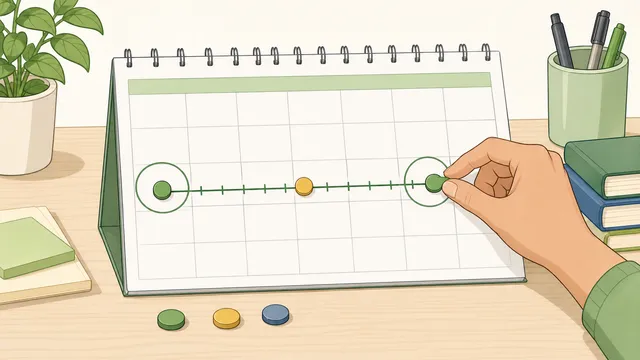
Days Until Calculator instructional illustration

Days Until Calculator

Use this days until calculator to count how many days until a future date or since a past date, with holiday shortcuts, inclusive counting.

Last updated

Use this days until calculator for birthdays, holidays, trips, and deadlines Count how many days until a future date or how many days since a past date, then switch between exclusive and inclusive counting so the answer matches the way your event, booking, or countdown is described.

Popular countdown presets

These shortcuts help with common “days until month end”, “days until year end”, and holiday countdowns without leaving the page.

Include the target date

Turn on when both endpoints should count as part of the span.

Result

Days until

45

Whole calendar days remaining until the target date.

From 22 May 2026 (Friday) to 6 July 2026 (Monday).

Inside the next 90 days

Calendar breakdown
0y 1m 14d
Total weeks
6.43
Full weeks + days
6w 3d
Counting rule
Exclusive
Business days
31
Weekend days
14
Target weekday
Monday

Countdown checkpoints inside this span

Use these intermediate dates to plan reminders, prep windows, review points, or follow-up milestones before the final date arrives.

CheckpointDateCalendar days from startBusiness days from start
Halfway point2026-06-132216
30 days left2026-06-061511
14 days left2026-06-223121
7 days left2026-06-293826
1 day left2026-07-054431

How to use this result

Use the main day count for countdowns, reminders, and deadline planning. Use the business-day figure when you need a weekday-only estimate, remember that public holidays are not removed here, and switch on inclusive counting only when the end date itself should be treated as one of the counted days.

← All Date Calculations calculators

Date Countdown

Days until calculator guide: how many days until a date, since a date

A days until calculator tells you how many days remain until a future date or how many days have passed since a past date. This page also explains the main assumptions behind the days until calculator result, highlights the supporting figures shown by the calculator, and helps the reader use the estimate without overstating what a quick online tool can prove.

What a days until calculator is actually counting

When people search how many days until a holiday, how many days until my birthday, or how many days since a past event, they are usually asking for a whole-day calendar count rather than a clock-based duration. A days until calculator therefore treats the input dates as calendar days and measures the number of date boundaries between them.

That sounds simple, but it still matters how the counting rule is defined. Some online calculator tools exclude the final date and show only elapsed days between the start and end. Others use inclusive counting and treat both dates as part of the span. A good date countdown calculator makes that rule visible so the answer is useful for planning, booking, and everyday date arithmetic rather than only for casual curiosity.

This is also why two date-countdown tools can appear to disagree by one day even when neither is broken. One may be answering the elapsed-days question, while the other is answering the days-left-including-the-event-date question. A useful days since calculator or days until calculator should make that choice explicit so users can match the rule to the job they are doing.

The practical takeaway is that this page is closer to a calendar calculator than a stopwatch. It answers questions like days until a trip, days until an exam, or days since a launch by working with whole dates first, then layering on extra views such as weeks, business days, and a years-months-days breakdown.

Core formulas behind the result

This free online calculator starts with the total number of whole calendar days between the two dates. It then derives secondary results such as total weeks, weekday-only business days, and a years-months-days style calendar breakdown. Those extra views help the same calculation tool answer slightly different questions without changing the underlying dates.

The key principle is that the page measures date distance first and interpretation second. Once the raw day count exists, the calculator can express the same span as days weeks, total weekdays, or a calendar-style years-months-days result. That is why one date calculator can satisfy several closely related searches without changing the underlying calendar maths.

Total days = Target date - Start date

The raw result is the whole-day distance between the two dates when they are treated as calendar values rather than clock timestamps.

Inclusive total days = Exclusive total days + 1

Inclusive counting adds one day when the target date should be counted as part of the interval.

Total weeks = Total days / 7

Weeks are shown as a simple interpretation of the same interval, including fractional weeks when the span is not a whole multiple of seven.

Business days = Count of weekdays in the interval

This strips out Saturdays and Sundays to create a weekday-only version of the same date range.

Inclusive dates, business days, and calendar edge cases

Inclusive counting matters because many real tasks are phrased in human rather than technical language. If an event starts on Monday and ends on Friday, some users expect the answer to be four elapsed days while others expect five calendar days including both endpoints. A quick calculator is only useful when that distinction is clear.

Leap years and uneven month lengths also affect date maths. February does not always have the same number of days, and the Gregorian calendar periodically adds February 29 to stay aligned with the solar year. That is why an accurate calculator uses real calendar rules instead of rough assumptions such as “every month has 30 days.” Business-day outputs are also only an estimate unless holiday calendars are layered on top, because public holidays vary by country and region.

Business-day totals are especially easy to misread. Many pages use business days as shorthand for weekdays only, which is useful for rough planning but not the same as a holiday-aware workday calendar. If you are using the result for shipping cutoffs, statutory deadlines, payroll windows, or region-specific office schedules, you still need to check the relevant holiday calendar and local rules.

This is one reason a days until calculator and a business days calculator are not interchangeable. The first answers a broad calendar question. The second answers a narrower weekday question. If you need both, compare the two outputs deliberately rather than assuming that removing weekends is all you need.

  • Use exclusive counting when you want elapsed days between two dates.
  • Use inclusive counting when the end date itself should be counted.
  • Use business-day output for weekday planning, but remember that public holidays are separate from weekends.
  • Use the calendar breakdown when years, months, and days are more useful than one large day total.

Days until, days since, and days between dates are related but not identical search

People often use days until calculator, days between dates, and days since calculator as if they were identical. They are closely related, but the emphasis is different. Days until focuses on a future countdown. Days since focuses on elapsed time after a past event. Days between two dates is the broader neutral version that works in either direction.

That matters when you interpret the result or choose the best tool. If your job is a simple countdown to Christmas, a wedding, or a booking deadline, the days-until framing is usually the most intuitive. If you are documenting how long it has been since an invoice, launch, or anniversary, the days-since framing often reads more naturally. If you are comparing two arbitrary dates and want a neutral date to date calculator, the broader date-difference framing may be clearer.

Strong calendar pages usually cover all three intents because searchers often shift between them mid-task. Someone may start by asking how many days until a deadline, then realise they also need business days between two dates, or they may want a calendar breakdown after seeing the headline day count. That is why this page works best as a practical day counter rather than a single-purpose countdown widget.

Common countdown uses: birthdays, Christmas, trips, exams, and deadlines

One reason this query family is so broad is that people use a days until calculator for very different types of planning. Holiday searches such as how many days until Christmas or how many days until New Year are common seasonal uses. Personal-event searches such as how many days until my birthday, anniversary, vacation, or due date are also common, even though the underlying calendar maths is the same.

Practical deadline use cases tend to be less seasonal but more sensitive to counting rules. A school project, passport renewal, shipping cutoff, booking window, or office deadline may require you to know whether weekends count, whether the final day is included, and whether you should think in total days or business days. That is why a good countdown calculator explains the rule as well as the result.

If your goal is a recurring or named event, the most reliable approach is still to enter the actual date you care about rather than relying on a preset phrase. The calculator can then answer days until Christmas, days until a birthday, or days until a holiday in exactly the same way it answers a project deadline or trip departure date. The difference is not in the maths. It is in the context you apply to the output.

Why one calculator can disagree with another by one day

The most common reason two countdown tools disagree is not a leap-year bug. It is the endpoint rule. If one page excludes the target date and another includes it, the answer will differ by one day even when both are mathematically consistent. The same thing happens when one page measures whole elapsed days while another page counts named calendar dates.

Timezone and time-of-day assumptions can also matter if a site is really running a clock countdown rather than a pure date calculation. This page works on calendar dates, which keeps the result stable for date planning. But a timer-style countdown to an exact midnight or event start can legitimately show a different number of days once hours and minutes are involved.

The clean way to compare results is to ask three questions before assuming one page is wrong: are both calculators using the same start date, are they both treating the target date the same way, and are they both counting full calendar days rather than clock time? Once those rules match, the answers should usually line up.

Using a date countdown calculator well

This days until calculator is most useful when you need a clear answer immediately: how long until a trip, how many days until an exam, how many days since a launch, or how many weekdays remain before a deadline. It is a practical browser calculator for everyday date work because it combines a simple headline answer with the extra context many people end up needing after the first calculation.

Used alongside a date difference calculator, business days calculator, or date add subtract calculator, it covers a large share of common calendar questions. It will not replace specialist legal or payroll date systems, but it is a strong free web tool for accurate countdowns, elapsed-day checks, and general-purpose date planning. That is also why rival pages often rank for both short-tail phrases like days until calculator and longer queries like how many days until a specific holiday or anniversary.

For the cleanest answer, decide first whether you care about a general calendar countdown, a weekday-only estimate, or a date-plus-time countdown. General calendar countdowns answer the broadest search intent. Weekday totals are better for rough office planning. Time-of-day countdowns are a different class of tool and are more appropriate when you need hours, minutes, seconds, or timezone-sensitive event timing.

If the number will be used for anything official, pair the result with the rule that governs your task. A school timetable, HR policy, court deadline, and travel booking can all count dates differently. The calculator helps you get the raw calendar answer quickly, but your real-world workflow still decides whether inclusive counting, weekday counting, or a holiday-aware adjustment is the correct interpretation.

Further reading

Why checkpoint dates make countdowns more useful

The headline result tells you the size of the gap, but most real countdowns need action dates inside the same span. If there are 74 days until an exam, trip, launch, renewal, or filing date, the more practical question quickly becomes when 30 days remain, when the final two weeks begin, and when the last-week reminder should fire.

That is why checkpoint dates are useful. They turn a passive days-until answer into a planning grid. A halfway point can support review or prep pacing. A 30-day checkpoint can anchor document gathering, travel admin, or project review. A 14-day or 7-day checkpoint is often where confirmations, packing, rehearsals, or internal approvals become more time-sensitive.

Elapsed-date questions benefit from the same idea. When you are counting days since an event, 7-day, 30-day, and 90-day marks often matter more than the raw day total because they line up with follow-up schedules, reporting intervals, and review windows.

Month end, quarter end, and year end countdowns are not rough 30-day estimates

A lot of search intent around date countdowns is really about calendar boundaries such as month end, quarter end, or year end. Those are not the same thing as adding a rough number of days. The reason is simple: months are uneven, quarters end on specific dates, and leap years change the calendar around February.

This is why preset-style countdowns are useful. If you need to know how many days until month end for reporting, billing, revision planning, or holiday prep, the right target is the real final date of the month, not “30 days from now.” The same logic applies to quarter end and year end, where a true calendar-based result is more trustworthy than an estimate.

The practical benefit is speed and fewer manual mistakes. Users who repeatedly check end-of-month or end-of-year windows should not have to recreate those targets by hand every time. A calculator that understands the real boundary is simply more useful than a plain day counter.

Holiday countdown shortcuts and next-occurrence logic

Competitor pages for days until calculator searches often win clicks by giving users one-tap holiday countdowns as well as a manual date field. This page now supports that pattern while keeping the general calculator intent clear: a holiday shortcut simply fills the target date with the next occurrence of that event from the selected start date.

Next-occurrence logic matters because annual events can already be behind the selected start date. If you count from 26 December and choose Christmas, the useful answer is the next Christmas in the following year, not the date that passed yesterday. The same principle applies to New Year and Halloween shortcuts. Users can still enter any custom birthday, trip, exam, or deadline date manually when the preset list does not match the event they care about.

The shortcuts are intentionally limited to broad, recurring calendar events. Region-specific public holidays, school calendars, payroll deadlines, and legal filing windows may have different observed dates or weekend rules, so those should still be checked against the official calendar that governs the task.

Worked example: how many days until a holiday or deadline

Suppose today is 1 October and your target date is 15 December. The calculator counts the whole calendar days between those dates and shows the result as a simple countdown. That is the version most people want when searching phrases like how many days until Christmas, how many days until my trip, or how many days until a deadline.

If you are planning work rather than a general event, the business-day figure is often the better planning number because it strips out weekends. If the task wording means both the start and end date should count, turn on inclusive counting and compare the difference. That gives you a more realistic answer for schedules, bookings, and school or office planning.

A useful habit is to check the off-by-one question explicitly. If 1 October to 15 December shows 75 elapsed days, the inclusive version will show 76 because the target date is now part of the count. Neither answer is universally correct. The right one depends on whether you are measuring the gap between dates or the number of calendar dates involved in the plan.

The same logic applies in reverse when the target date is already in the past. If you are checking how many days since a campaign launch, surgery, trip, or missed payment, the calculator is still using the same calendar distance. Only the interpretation changes from countdown to elapsed time.

Frequently asked questions

Does the count include today?

By default, the calculator reports elapsed calendar days between the two dates, so the starting date is not automatically counted as an extra day. If today is 1 March and your target date is 5 March, the exclusive result is 4 days. Turn on inclusive counting when the start and end date should both count as part of the span, such as a booking window, school schedule, or event that is described in human rather than technical date language.

What happens when the target date has already passed?

The calculator flips naturally into a days-since result and reports the same interval as elapsed time instead of remaining time. This is useful when you want to know how many days since a launch, appointment, holiday, anniversary, or deadline. The same inclusive rule still matters in past-date mode, so use inclusive counting only when both endpoints should be treated as counted dates.

Why do business days differ from the total day count?

Business days remove Saturdays and Sundays from the interval, so the result is lower than the full calendar-day count whenever weekends fall inside the span. This is helpful for rough work planning, but it still does not account for bank holidays or public holidays, which vary by country and region. Treat it as a weekday-only estimate unless you are also using a holiday-aware business-day calendar.

Why is adding one month not always the same as adding 30 days?

Calendar months do not all have the same length, and leap years change February in some years. A true calendar calculator follows real month lengths and leap-year rules instead of assuming every month contains 30 days. That is why two dates can be one calendar month apart without being exactly 30 or 31 days apart, and why countdown tools that ignore leap-year rules can drift around February in leap years.

Is a days until calculator the same as a days between dates calculator?

They are closely related, but the framing is different. A days until calculator is usually read as a future countdown, while a days between dates calculator is the neutral version that can point either forward or backward. Under the hood the calendar maths is similar. The main difference is how the result is presented and whether the page emphasises countdown use cases such as holidays, birthdays, and deadlines.

Why does another days until calculator show a different answer?

Most disagreements come from counting rules rather than broken maths. One page may exclude the target date while another includes it. One may work with pure calendar days while another is effectively showing a time-of-day countdown. If you compare calculators, make sure the same start date, target date, and inclusive-versus-exclusive rule are being used before assuming one of them is wrong.

Does this count weekends and holidays?

The main headline result counts all calendar days, including weekends. The supporting business-day figure removes Saturdays and Sundays, but it does not automatically remove public holidays because holiday calendars vary by country and region. If a deadline depends on official working days, treat the weekday total as a starting point and then verify the relevant holiday calendar.

How do I use this for Christmas, birthdays, or trips?

Use the built-in holiday shortcut when the event is one of the listed recurring dates, or enter the exact event date manually for a birthday, trip, exam, renewal, or custom deadline. That means the page can answer how many days until Christmas, how many days until my birthday, or how many days until a flight just by changing the target date. If the event repeats every year, make sure you choose the correct year first so the countdown reflects the next occurrence rather than a past one.

What happens if I choose a holiday that already passed this year?

The holiday shortcut uses the next occurrence from the selected start date. If the start date is after Christmas and you choose Christmas, the target moves to Christmas in the following year. This avoids the common mistake where a countdown shortcut silently points to an event that is already behind the selected start date.

Does leap year change the countdown?

Yes, when the date span crosses February in a leap year. Leap years add February 29, which changes both total day counts and calendar breakdowns around late February and early March. A reliable date calculator handles this automatically. That is why the safest approach is to use a real calendar-based tool rather than estimating that every year has 365 days or every month is roughly 30 days long.

Can I use this as a deadline calculator?

Yes, for general planning. It is useful for seeing how many calendar days or weekdays remain before a deadline, renewal date, exam, booking, or project milestone. But if the deadline has legal, payroll, school, tax, or contract consequences, confirm the official counting rule before relying on the result because some deadlines exclude the filing day, include the final day, or move when the date lands on a weekend or holiday.

How should I use 30-day, 14-day, or 7-day countdown checkpoints?

Use checkpoints as planning markers inside the main countdown rather than as competing answers. A 30-day checkpoint is useful for bigger prep steps such as document gathering, registrations, or travel admin. A 14-day checkpoint is often where confirmations and checklists become more practical. A 7-day checkpoint is usually the final-week trigger. The total day count tells you the full span; checkpoint dates tell you when to act inside it.

Is days until month end the same as adding 30 days?

No. Month end is a real calendar boundary, while adding 30 days is only an approximation. Months have different lengths, so those two answers often diverge. If the task is tied to a billing period, reporting cycle, school term, or subscription window, the month-end countdown is usually the more useful result.

Can I use this to count down to quarter end or year end?

Yes. Quarter-end and year-end countdowns are common for reporting, budgeting, tax prep, academic planning, and seasonal deadlines. The important detail is to anchor the result to the real calendar boundary rather than to a rough estimate, so the answer still makes sense around short months and leap years.

Why might the business-day number still not match my real deadline?

Because weekday-only counting is not the same as a holiday-aware workday calendar. This page removes Saturdays and Sundays for the business-day figure, but it does not automatically remove local public holidays or custom non-working days. For payroll, contracts, school deadlines, filing rules, or shipping promises, treat the weekday result as a planning estimate and then verify the official holiday calendar and governing rule.


Also in Date Calculations

Related

More from nearby categories

These related calculators come from the same leaf category, nearby sibling categories, or the same top-level topic.