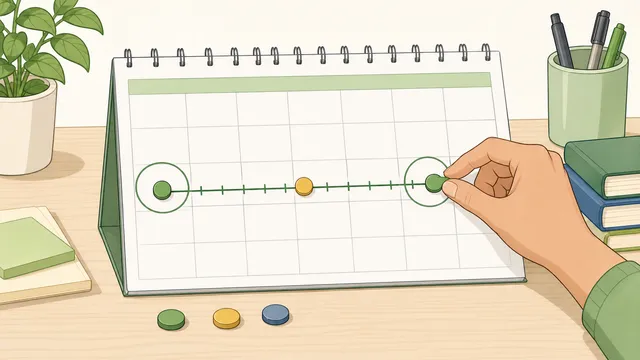
Calculate complete calendar months between two dates, with remaining days, total days, end-of-month handling, and month milestone checkpoints.
Last updated
Count full calendar months, then keep the leftover days separate This month calculator uses real calendar boundaries instead of dividing elapsed days by 30. That makes it better for leases, notice periods, billing cycles, instalment schedules, and any timeline where the exact month boundary matters.
Quick examples
Load a common month-counting scenario, then adjust the dates to match your own timeline.
How this page counts months
The calculator automatically normalizes the earlier and later date, steps through complete calendar months first, and then counts any leftover days separately.
If the start date is the last day of its month, month stepping follows the last valid day in later months. That is why 31 January to 29 February 2024 counts as one full month rather than 29 days divided by 30.
Month result
1 complete month
Between Wednesday, 31 January 2024 and Thursday, 29 February 2024, the last full month boundary lands on Thursday, 29 February 2024. The next full month boundary would be Sunday, 31 March 2024, which is 31 days beyond the selected end date.
Complete months
1
Remaining days
0
Total days
29
30-day shortcut
0.97
Next full month
2024-03-31
Checkpoint dates from the same start date
These rows show when common month milestones would land if you keep stepping forward from the same starting date.
Checkpoint
Target date
Status vs selected end date
1 month checkpoint
Thursday, 29 February 2024
2024-02-29
Matches the selected end date exactly.
Quarter checkpoint
Tuesday, 30 April 2024
2024-04-30
Arrives 61 days after the selected end date.
Half-year checkpoint
Wednesday, 31 July 2024
2024-07-31
Arrives 153 days after the selected end date.
Year checkpoint
Friday, 31 January 2025
2025-01-31
Arrives 337 days after the selected end date.
Span interpretation
Use these comparison rows to explain why a civil-calendar month answer can differ from rough planning shortcuts.
Calendar answer
1 complete month
This is the civil-calendar result after stepping complete months first, then counting leftover days.
30-day blocks
0.97
Useful only as a rough planning shortcut. It does not preserve actual month boundaries.
Average Gregorian months
0.95
Uses the average month length across a 365.25-day year, which is still different from complete calendar months.
Full quarters reached
0 quarters
Helpful for quarterly reviews, notice periods, and milestone planning.
Full half-years reached
0 half-years
Useful when a span is measured against six-month checkpoints.
Full years reached
0 years
Shows how many complete 12-month cycles fit inside the selected span.
End-of-month rule applied The earlier date falls on the last day of its month, so each full-month checkpoint also uses the last valid day in later months. This keeps end-of-month spans consistent across February and other shorter months.Calendar context The selected span starts on Wednesday, reaches its last full-month boundary on Thursday, and ends on Thursday. That makes it easier to compare the result with billing runs, review dates, or notice periods tied to weekdays.
Month calculator guide: count complete calendar months, remaining days
The month calculator finds the number of complete calendar months between two dates, then shows the leftover days and total elapsed days separately. That makes it useful for lease terms, monthly billing cycles, notice periods, instalment schedules, anniversaries, and any planning question where the exact month boundary matters more than a rough day-count shortcut.
How the month calculator counts complete months
The calculator first normalizes the earlier and later date. From the earlier date, it steps forward one full calendar month at a time until the next full-month checkpoint would go past the selected end date. The number of successful month steps becomes the complete-month answer, and any days left after the final full-month checkpoint are counted separately.
This matters because calendar months do not all have the same length. A civil-calendar answer preserves real month boundaries, which is what most people mean when they ask how many months are between two dates for a tenancy, subscription, notice period, or recurring monthly review.
Complete months = largest whole-number month step where start date + months ≤ end date
The calculator stops at the last full calendar checkpoint that does not overshoot the selected end date.
Remaining days = end date − last full-month checkpoint
Leftover days are shown separately so partial months are not hidden inside a rough decimal conversion.
Total days = end date − start date
This gives the raw elapsed day count alongside the calendar-month answer.
Why a month answer is different from dividing by 30
A month calculator answers a calendar question, not an average-duration question. If you divide elapsed days by 30 or even by the average Gregorian month length, you get a rough planning estimate, not the number of complete calendar months that have actually passed.
That is why this page shows both the calendar answer and comparison rows such as 30-day blocks and average Gregorian months. The difference helps explain why a span can be 1 complete month and 30 days even when a rough day-count shortcut looks close to 2 months.
End-of-month dates need special handling
Month counting becomes confusing when the starting day does not exist in a later month. If the start date is the last day of its month, the calculator treats later month checkpoints as the last valid day of those later months too. This is the most consistent way to handle spans such as 31 January to 28 February or 29 February in leap years.
For example, 31 January 2024 to 29 February 2024 counts as 1 complete month. From that same start date, the next full-month checkpoint is 31 March 2024. The calculator shows these checkpoints directly so you can see how the month boundary moves.
When this page is useful in real planning
Lease terms and notice periods are commonly stated in months rather than days. If you move in on 1 July and move out on 1 July the following year, the page confirms that the span contains 12 complete months even though different months inside that year have different lengths.
The same logic applies to monthly subscriptions, instalment plans, recurring reviews, compliance windows, and anniversary tracking. The checkpoint table is especially useful when you want to know whether a quarter, half-year, or year milestone has already been reached from the same starting date.
How to interpret the milestone rows
The milestone table starts from your selected beginning date and shows where common month-based checkpoints would land: 1 month, 3 months, 6 months, and 12 months. Each row then tells you whether that checkpoint has already been reached by the chosen end date or how many days away it still is.
This makes the calculator more useful than a single headline answer. Instead of only seeing the elapsed months, you can also see whether the span already covers a quarter, half-year, or annual renewal boundary, or whether it falls just short.
Worked examples that usually cause confusion
From 31 January 2024 to 29 February 2024, the calculator returns 1 complete month and 0 remaining days. The start date is the last day of January, and the matching one-month checkpoint is the last valid day of February in that leap year.
From 31 January 2024 to 30 March 2024, the calculator returns 1 complete month and 30 remaining days. The next full-month checkpoint would be 31 March, so the selected end date falls one day short of 2 complete months.
From 15 January 2026 to 15 April 2026, the calculator returns 3 complete months exactly. In the milestone table, the quarter checkpoint matches the end date exactly, which is the kind of planning confirmation people often need for review cycles and notice windows.
When not to use a month calculator
Use a business-day calculator if you need working days rather than civil-calendar months. Use a finance-specific day-count calculator if a contract relies on conventions such as 30/360, Actual/360, or Actual/365. Those conventions answer different questions and should not be mixed with ordinary calendar-month stepping.
If you need age calculations, elapsed weeks, or date-from-today planning, use the dedicated calculator for that task. This page is intentionally focused on complete calendar months, leftover days, and the practical checkpoints that come from month-based planning.
A complete month is counted when the calendar reaches the matching month checkpoint from the starting date without overshooting the selected end date. If the start date is 15 January, then 15 February is one complete month. If the end date is 14 February, the answer is still 0 complete months.
Why does this page show remaining days separately?
Remaining days show how far the selected end date falls beyond the last full-month checkpoint. That makes the result clearer than turning everything into a decimal month, especially for contracts or billing periods where the whole-month boundary matters.
Why can 31 January to 29 February count as one month?
Because the start date is the last day of January. The calculator applies an end-of-month rule so that later checkpoints also use the last valid day of the month. In a leap year, that makes 29 February the matching one-month boundary.
Is one month always 30 days?
No. Calendar months can have 28, 29, 30, or 31 days. This calculator answers a civil-calendar month question, which is why it also shows comparison rows for rough 30-day and average-month shortcuts rather than pretending those are the same thing.
What happens if I enter the dates in reverse order?
The calculator normalizes the earlier and later date automatically. You still get the same month count, remaining days, and milestone rows, but the page reports the dates in chronological order so the answer is easier to interpret.
How is the next full month boundary useful?
It shows how many days short the selected span is of the next complete month. That is helpful for lease renewals, notice periods, instalment cutoffs, and any timeline where being one or two days short of a full month changes the interpretation.
Can I use this for a lease or subscription term?
Yes, if the term is stated in ordinary calendar months. The milestone rows are especially helpful because they show quarter, half-year, and year checkpoints from the same start date.
Why does the calculator also show total days?
Total days give the raw elapsed span, which is useful when you need the exact day count as well as the calendar answer. The two figures complement each other because they answer slightly different questions.
When should I use a business-day or finance calculator instead?
Use a business-day calculator when weekends or holidays matter. Use a finance-specific calculator when a contract uses 30/360, Actual/365, or another accrual convention. Those are different from ordinary calendar-month stepping.
Why does a month calculator disagree with some spreadsheets?
Different tools define month boundaries differently, especially for end-of-month dates and partial months. This calculator uses explicit civil-calendar stepping with a clear end-of-month rule, then reports leftover days separately so the logic stays transparent.