Skip to content
Calcipedia
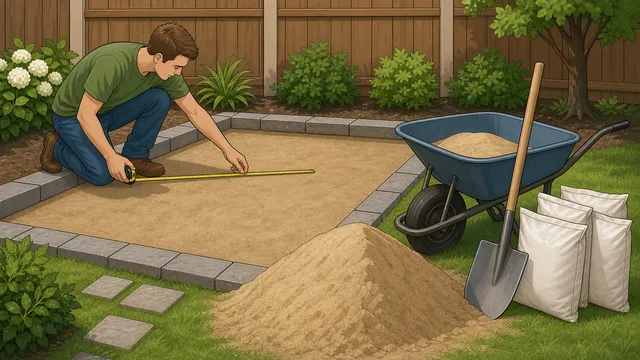
Polymeric Sand Calculator instructional illustration

Polymeric Sand Calculator

Estimate polymeric sand bag count, joint-fill volume, coverage per bag, safer waste buffer, and optional cost from paver size, joint width and depth.

Last updated

Polymeric sand planner Estimate joint-sand volume, bag count, and product spend for a paver patio from project area, paver size, joint dimensions, and bag yield.

Display currency

Change the cost display currency without changing the polymeric sand calculation.

Quick project presets

Pick a common patio, walkway, wide-joint, or metric setup, then adjust the real measurements from your project.

Joint measurement check

This is a tight manufactured-paver range. Coverage per bag should usually be higher, but small pavers and deeper joints can still raise the order quantity.

Bag count

3 bags

About 1.24 ft³ of joint fill for 192.00 ft², including 10% waste and roughly 64.0 ft² per bag at this setting.

Joint volume
1.24 ft³
Estimated joint length
864.00 ft
Project area
192.00 ft²
Estimated cost
$84.00
Coverage per bag
64.0 ft²
Safer order
3 bags

Coverage checkpoints

Compare the current setting with tight, standard, and wide-joint scenarios to see how quickly the bag count changes when joint width increases.

Tight joints

Best fit for crisp manufactured pavers and the highest coverage per bag.

Joint width

1/8 in

Bags

3

Coverage / bag

64.0 ft²

Vs current

Same

84.00

Standard joints

Typical patio spacing with a moderate bag-count increase.

Joint width

1/4 in

Bags

5

Coverage / bag

38.4 ft²

Vs current

+2

140.00

Wide joints

Useful for tumbled edges and more irregular paving layouts.

Joint width

3/8 in

Bags

8

Coverage / bag

24.0 ft²

Vs current

+5

224.00

How to use this result

Use the bag count as a purchasing baseline, then compare it against the manufacturer’s joint-width and paver-thickness coverage chart. The coverage-checkpoint table above shows how the same patio can move from a tight-joint plan to a wide-joint order much faster than square footage alone suggests.

The coverage per bag is within the broad range often seen for modular patio pavers, but the product label should still override this general estimate.

Irregular shapes, tumbled pavers, and wider joints can increase real sand use. If your project uses flagstone, reclaimed stone, or a joint width that is outside the product’s rated range, treat the result as an order baseline and verify the product chart before buying.

← All Deck & Patio calculators

Joint Fill Planning

Polymeric sand calculator guide: estimate bag count for paver patios, walkways

A polymeric sand calculator helps you estimate how much jointing sand to buy for a paver patio, path, or similar hardscape project. This page also explains the main assumptions behind the polymeric sand calculator result, highlights the supporting figures shown by the calculator, and helps the reader use the estimate without overstating what a quick online tool can prove.

What this polymeric sand calculator is estimating

Polymeric sand is not ordered from total patio area alone. The amount you need depends on how much joint line exists across the paved field, how wide the joints are, how deep they are filled, and what the product bag is rated to cover. A polymeric sand calculator brings those pieces together so you can plan the order before installation day.

That makes it useful for patio builds, paver repairs, and maintenance planning where the main question is how many bags of polymeric sand to buy. Instead of guessing from square footage alone, the estimate works from paver geometry and joint dimensions, which is much closer to how the material is actually consumed.

Core polymeric sand formulas

The calculator first estimates the total joint-line length implied by the paved area and the selected paver size. It then multiplies that by the joint width and depth to estimate total joint volume, applies waste, and converts the final figure into a bag count using the bag yield you enter.

Project area = Length x Width

The paved footprint is the starting point for estimating total joint geometry.

Estimated joint length = Project area x ((1 / Paver length) + (1 / Paver width))

This approximates how much joint line exists in a simple modular paver field.

Joint volume = Estimated joint length x Joint width x Joint depth

The joint-fill volume depends on both the width and the depth of the joints being filled.

Bag count = ceil((Joint volume x (1 + Waste%)) / Bag yield)

Waste is applied before the result is converted into whole bags for ordering.

How to use the bag estimate

Use the calculated joint-fill volume to sense-check the bag count against the product documentation you plan to buy. For example, a 16 ft by 12 ft patio using 8 inch by 4 inch pavers, 1/8 inch joints, 1.5 inch joint depth, 10% waste, and 0.5 ft³ per bag works out to about 1.24 ft³ of joint fill, or roughly 3 bags to order.

The output is most useful when it is treated as a planning figure. Manufacturer coverage charts still matter, because different products may have different yield assumptions, joint limits, and installation conditions even when the geometry looks similar.

How to compare the result with manufacturer coverage charts

Manufacturer charts are still the best place to confirm the final order size because they tell you what the product was actually tested to cover. On many polymeric sand sheets, a 50 lb bag can land anywhere from roughly 25 to 120 square feet depending on joint width, paver shape, and joint depth. That is why the coverage-checkpoint table on this page compares tight, standard, and wide-joint scenarios instead of pretending one square-foot rule fits every patio.

Use the calculator result as the geometry-based estimate, then compare it with the bag chart for the exact product you plan to buy. If the chart and the calculator are close, the estimate is probably in the right order of magnitude. If they are far apart, the product is likely assuming a different joint width, a different paver profile, or a different coverage rule.

Further reading

What the common joint-width checkpoints mean

The common joint-width checkpoints give the calculator a simple way to compare narrow, standard, and wide install scenarios without pretending that one coverage rule fits every patio. They turn the math into a more readable set of planning brackets before you place an order.

That comparison is useful because the same bag can behave very differently when joint widths or paver shapes change. A tight manufactured pattern, a normal residential patio, and a wide-joint natural-stone install can all consume the material at different rates even when the square footage looks similar.

  • The tight-joint checkpoint is the best match for crisp manufactured pavers, where coverage stays relatively high because the joints are narrow and regular.
  • The standard-joint checkpoint is the middle ground most patio owners think of first. It is the most useful comparison when you want to know whether your order is behaving like a typical residential patio or walkway.
  • The wide-joint checkpoint is where coverage starts to fall quickly. Tumbled pavers, flagstone, and irregular stone often land closer to this end of the range, which is why a bag chart can look very different even when the square footage is unchanged.

How to handle repair, top-up, and wide-joint projects

Repair work should be measured differently from a clean new installation. If you are cleaning out failed joints, measure the depth that will actually be refilled after loose material is removed instead of entering the full paver thickness by habit. That makes the polymeric sand bag calculator behave more like a repair takeoff and less like a brand-new patio estimate.

For flagstone, tumbled pavers, or mixed-width joints, measure several representative joints across the project and use an average that reflects the wider gaps, not just the neatest part of the patio. Competitor coverage charts often switch from tight-joint square-foot rules to much lower wide-joint ranges, and this calculator's wide-joint preset plus safer waste guidance is designed to make that jump visible before you buy.

If the computed coverage per bag looks unusually high or unusually low compared with the product sheet, do not force the bag chart to match the calculator. Recheck paver size, joint width, joint depth, and bag yield, then let the manufacturer documentation override the general model where the product has a specific joint-width or minimum-depth requirement.

Why joint width, paver size, and existing conditions change coverage

Search results for polymeric sand calculators lean heavily on square-foot coverage tables, but those tables are only shorthand for underlying joint geometry. Tight manufactured pavers create one coverage pattern, while smaller modules, tumbled edges, wider joints, or natural stone create much more joint volume across the same patio area.

Existing patios can also consume more material than new clean installs because joints may need to be cleaned out, refilled deeper, or topped off more than once. That is why the safest workflow is to treat the bag estimate as an order baseline, then compare it with the specific product chart and the actual joint conditions on site.

What this result does not cover

This tool estimates joint-fill demand for a simple modular paving field. It does not model irregular stone, highly variable joint geometry, chamfer effects, false joints, permeable-system specifics, or the special coverage quirks of every manufacturer. It also assumes the sand is being used within the width and depth range the product is designed for.

Use it to size the main order, then confirm the final bag quantity against the specific product technical sheet and the actual joint conditions on the project. If the joints are unusually wide, deeply recessed, or part of a permeable system, the product sheet should override any general estimate.

Frequently asked questions

How much polymeric sand do I need for pavers?

It depends on the paved area, paver size, joint width, joint depth, product yield, and the waste allowance you want to carry. This calculator combines those factors into a joint-fill volume and whole-bag estimate.

How much area does one bag of polymeric sand cover?

There is no single square-foot number that fits every project. Tight joints and larger pavers usually stretch coverage farther, while smaller pavers, wider joints, or irregular stone can use much more sand per square foot. Product charts are useful only when they match the real joint geometry.

Why does the bag count change when the paver size changes?

Smaller pavers create more joint line across the same area than larger pavers. More joint length usually means more joint-fill volume and a higher bag count.

Can I apply polymeric sand over old joint sand?

For best results, old loose sand or failed joint material usually needs to be cleaned out far enough for the new product to seat properly. Re-sanding over poor existing joints can leave you with misleading coverage and weaker performance.

How many bags of polymeric sand do I need for a patio?

The answer depends on the patio area, the paver module size, the joint width, the joint depth, and the bag yield. Two patios with the same square footage can need different bag counts if one uses smaller pavers or wider joints, because those details change the total joint volume.

How much polymeric sand do I need per square foot?

There is no universal per-square-foot number because polymeric sand usage is driven by joint geometry, not area alone. Square-foot coverage is only meaningful when it is tied to a specific paver pattern, joint width, joint depth, and bag yield.

How much does a 50 lb bag of polymeric sand cover?

Coverage depends on the product and the joint geometry. Narrow joints can cover much more area than wide or irregular joints, and manufacturer sheets commonly give ranges rather than one exact number. Use the calculator result as your geometry-based estimate, then check the exact bag chart for the product you plan to buy.

Can I use this calculator for flagstone or irregular pavers?

Yes, but treat the result as a rough baseline rather than a precise takeoff. Irregular joints, tumbled edges, and wide gaps usually lower coverage per bag and can push the real order above a simple modular estimate.

What joint width is considered wide for polymeric sand?

There is no single universal cutoff, but once joints move beyond a tight manufactured-paver spacing and start approaching 1/4 inch, 3/8 inch, or wider, coverage usually falls quickly. For very wide or irregular joints, check that the product is rated for that gap before you order.

Should I order extra polymeric sand?

Usually yes. A small waste allowance helps cover sweeping loss, joint touch-ups, and the fact that real projects are rarely perfect rectangles. The best amount depends on how regular the layout is and how confident you are in the product coverage chart.

How should I estimate polymeric sand for a repair or top-up?

Clean out loose or failed joint material first, then measure the depth that will actually be refilled. Use that refill depth in the calculator instead of the full paver thickness if the joint is only being topped up. Existing patios can be uneven, so keep a safer waste allowance and compare the result with the product's repair or re-sanding instructions.

How do I measure irregular flagstone joints?

Measure several joints across the patio, including the wider and narrower areas, then use an average that reflects the real project rather than the neatest single gap. Irregular stone often needs a wide-joint rated polymeric sand and a larger buffer because the same square footage can contain much more joint volume than a modular paver layout.

Why does the calculator ask for bag yield instead of assuming one 50 lb bag coverage?

Published 50 lb bag coverage can change sharply by product, joint width, paver depth, paver shape, and whether the joints are tight or wide. Entering the bag yield from the product sheet keeps the estimate tied to the sand you actually plan to buy, while the calculator still uses paver geometry to reveal whether the order looks realistic.

Why does the bag chart on the package differ from my calculator result?

Package charts are usually based on a specific paver profile, joint width, and coverage assumption. If your project uses a different module size, wider joints, or a different depth, the chart and the calculator can legitimately produce different answers.

Do I still need to check the manufacturer bag chart?

Yes. Use the calculator to estimate the order size, then compare the result with the product technical sheet or bag chart for the exact sand you plan to buy. Product-specific assumptions, joint limits, and installation guidance can change the final bag count.

Also in Deck & Patio

Related

More from nearby categories

These related calculators come from the same leaf category, nearby sibling categories, or the same top-level topic.