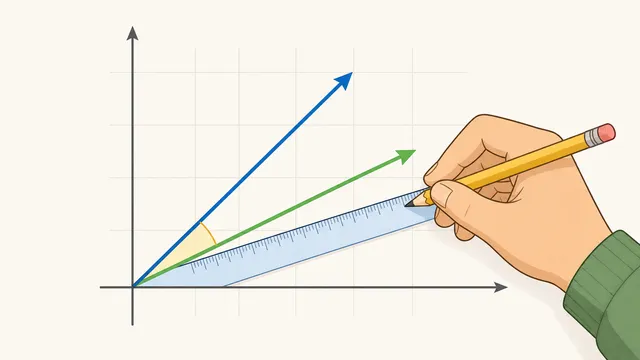
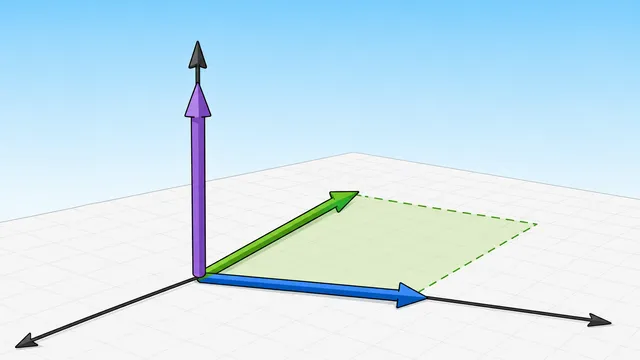
Use this dot product calculator to compute the scalar product of 2D or 3D vectors, angle between vectors, cosine similarity, orthogonality, scalar projection.
Last updated
Dot product, angle, and projection Use this dot product calculator to multiply matching components, check whether two vectors are orthogonal, and see the angle between them in 2D or 3D.
Quick examples
A positive dot product with a small acute angle.
Vector dimension
Vector 1
Vector 2
What is the dot product?
The dot product (scalar product) multiplies corresponding components of two vectors and sums the results. It reveals how much two vectors point in the same direction.
Orthogonal vectors
When the dot product equals zero the vectors are perpendicular (orthogonal), meaning they share no directional component. A negative dot product points to an obtuse angle, while a positive dot product points to an acute angle.
Projection and angle
The calculator also reports scalar projection values so you can see how much of one vector lies along the other, which is the same geometry behind the angle calculation.
Result
24
The dot product is positive, so the vectors point in generally the same direction.
Acute angle The cosine similarity is 0.96, so the angle check agrees with the sign of the dot product.
Dot Product
24
Angle (degrees)
16.2602°
Angle (radians)
0.2838rad
Orthogonal
No
|v1| Magnitude
5
|v2| Magnitude
5
Scalar projection v1 on v2
4.8
Scalar projection v2 on v1
4.8
Vector projection v1 on v2
(3.84, 2.88)
Vector projection v2 on v1
(2.88, 3.84)
Step-by-step
Component products
3 × 4 = 12, 4 × 3 = 12
Sum (dot product)
12 + 12 = 24
|v1|
√(3² + 4²) = 5
|v2|
√(4² + 3²) = 5
cos θ
24 / (5 × 5) = 0.96
θ
16.2602° (0.2838 rad)
Scalar projection of v1 on v2
24 / 5 = 4.8
Scalar projection of v2 on v1
24 / 5 = 4.8
Vector projection of v1 on v2
(3.84, 2.88)
How to read it
The dot product is a scalar. A positive value indicates the vectors lean the same way, zero indicates orthogonality, and a negative value indicates an obtuse angle between them.
Dot product calculator: compute the dot product and angle between vectors
A dot product calculator multiplies corresponding components of two vectors and sums the results, also computing the angle between the vectors. It is a quick way to check whether vectors point in the same direction, opposite directions, or are orthogonal, and it can also show the scalar projection and vector projection of one vector onto another.
The dot product
For vectors u and v, the dot product u·v = u₁v₁ + u₂v₂ + u₃v₃. The result is a scalar. This dot product calculator formula explanation shows how the entered values flow into the main result and the supporting figures the calculator returns.
The dot product relates to the angle: u·v = |u||v|cos(θ). When zero, the vectors are orthogonal.
In plain language, the sign tells you direction. A positive dot product means the vectors lean the same way, zero means they are perpendicular, and a negative dot product means they point in generally opposite directions.
u · v = u₁v₁ + u₂v₂ + u₃v₃
Dot product formula. This is the specific relationship the calculator applies when building the result.
u · v = |u||v|cos(θ)
Geometric form of the dot product. This is the specific relationship the calculator applies when building the result.
How the calculator works
The calculator multiplies each matching component, adds those products, and then uses the vector lengths to derive the angle. That is why you see both the scalar result and the angle together on the page.
If you are working with a zero vector, the dot product itself is still computed, but the angle, cosine similarity, scalar projection, and vector projection are undefined because one vector has no direction.
cos(θ) = (u · v) / (|u||v|)
Angle formula used after the dot product is computed.
comp_v(u) = (u · v) / |v|
Scalar projection of u onto v. This is the specific relationship the calculator applies when building the result.
proj_v(u) = ((u · v) / |v|²) v
Vector projection of u onto v, preserving the direction of v.
Scalar projection versus vector projection
Competitor pages often stop at the scalar product or the angle between vectors. In practice, many homework, physics, and graphics questions also need the projection: how much of one vector lies along the other vector's direction.
Scalar projection is a signed length. Vector projection turns that signed length into a vector along the reference direction. When the projection is positive, it points with the reference vector; when it is negative, it points opposite the reference vector.
Cosine similarity and angle interpretation
The dot product, angle, and cosine similarity tell the same direction story in different units. A positive dot product gives an acute angle, a zero dot product gives a right angle for non-zero vectors, and a negative dot product gives an obtuse angle.
Cosine similarity normalizes the dot product by both vector lengths, so it focuses on direction rather than scale. This is useful when vector length should not dominate the comparison.
Worked example
For u = (3, 4) and v = (4, 3), the dot product is 3×4 + 4×3 = 24. Because both vectors have length 5, the angle is arccos(24 / 25) ≈ 10.3°.
The same pair also shows why projection matters. The scalar projection of one vector onto the other is 24 / 5 = 4.8, which is the amount of one vector that lies along the other.
3D vectors and zero-vector limits
The same formula works in 3D: add the x, y, and z component products. If the vectors are orthogonal, the dot product is zero.
When one vector has zero magnitude, the dot product can still be computed, but the angle is undefined because there is no direction to compare. That is why the calculator surfaces the zero-vector case explicitly instead of pretending the angle is known.
Related tools and next steps
Use the angle-between-vectors calculator when you want the same geometry framed around the angle first. Use the vector magnitude calculator if you only need vector lengths, the vector projection calculator if you want the projected component, and the cross-product calculator if you need a perpendicular vector instead of a scalar.
This dot product calculator is best when you want the scalar product, the angle, and the orthogonality check in one place.
The angle between the vectors is greater than 90° — they point in generally opposite directions.
What does a dot product of zero mean?
A dot product of zero means the vectors are orthogonal, or perpendicular, as long as both vectors have non-zero length.
How is the dot product different from the cross product?
The dot product returns a scalar measuring parallelism. The cross product returns a vector measuring perpendicularity.
What is scalar projection?
Scalar projection is the length of one vector along another vector. It uses the dot product and the length of the vector being projected onto.
What is vector projection?
Vector projection is the projected vector that lies along the reference vector. It multiplies the reference vector by (u·v)/|v|², so it keeps direction instead of returning only a signed length.
Why is the angle undefined for a zero vector?
A zero vector has no direction, so there is no meaningful angle to measure against another vector. The dot product can still be computed, but angle and projection are undefined.
Can I use the dot product in 3D?
Yes. The formula is the same — just include the z components: x, y, and z.
Is the dot product the same as cosine similarity?
Not exactly. Cosine similarity is the dot product divided by both vector magnitudes, so it normalises the lengths and leaves only the directional similarity.
When should I use the angle between vectors calculator instead?
Use the angle-between-vectors calculator when the angle itself is the main thing you need. This page is better when you want the scalar product, the angle, and the orthogonality check together.