Convert drawing, architectural, blueprint, and model scales into real or scaled sizes with unit outputs, target-scale redraw, and print resize percentages.
Last updated
Scale conversion calculator
Use this scale conversion calculator as a scale drawing calculator, architectural scale calculator, or model scale calculator. Enter one ratio, then compare the converted size across metric and imperial units while keeping the area and volume implications visible.
Common scenarios
Direction
Use drawing to real when you are reading a plan, blueprint, or model. Use real to drawing when you need the size that should appear on paper or in a model.
Architectural scales
Plans, elevations, and detail views
Detailed floor plans and elevations
Engineering scales
Civil and infrastructure sheet scales
Use a custom denominator when the drawing or model does not match a standard scale.
Model scales
Rail, aircraft, and display models
Use a custom denominator when the drawing or model does not match a standard scale.
Site scales
Context plans and masterplans
Use a custom denominator when the drawing or model does not match a standard scale.
Before you trust a drawing scale conversion
Keep one unit first: a 1:50 ratio only works cleanly when the same unit is used on both sides before you convert the answer into feet, metres, inches, or millimetres.
Printed sheets can drift: photocopying, fit-to-page printing, and PDF scaling can break the effective scale even when the label on the sheet still says 1:50 or 1:100.
Area and volume are not linear: doubling the length factor does not merely double the material or space requirement. Surface area squares and volume cubes the same scale factor.
Result
Enter a measurement
Add a positive drawing or real-world measurement to see the converted length, cross-unit outputs, and scale-factor interpretation.
Scale conversion calculator guide: drawing, architectural, and model scales
A scale conversion calculator translates between a scaled drawing or model dimension and the corresponding real-world measurement. This page also explains the main assumptions behind the scale conversion calculator result, highlights the supporting figures shown by the calculator, and helps the reader use the estimate without overstating what a quick online tool can prove.
How scale conversion works
A scale ratio such as 1:50 means that one unit on the drawing equals 50 of the same units in reality. To find the real-world measurement, multiply the drawing measurement by the scale factor. To find the drawing measurement, divide the real-world measurement by the scale factor.
The calculator handles both directions and converts the result to multiple units so the output is compatible with whatever measuring tools are available.
The important phrase is 'of the same units.' A 1:50 drawing means 1 cm becomes 50 cm, 1 mm becomes 50 mm, and 1 inch becomes 50 inches before you translate that answer into metres, feet, or another display unit. Most avoidable scale-conversion mistakes happen when the ratio is applied after the units have already been mixed.
Real size = Scale size x Scale factor
Multiply the measurement on the drawing or model by the scale factor to get the actual size.
Scale size = Real size / Scale factor
Divide the real-world measurement by the scale factor to get the dimension to draw or build.
Common scales
Architectural drawings commonly use 1:50, 1:100, or 1:200 in metric countries, or scales like 1/4 inch equals 1 foot in imperial. Model building uses scales such as 1:24, 1:48, 1:72, and 1:144. Engineering site plans often use 1:500 or 1:1000.
Those ratios are not interchangeable even when they look close. A 1:48 model is only slightly larger than a 1:50 detail drawing in casual conversation, but the difference becomes visible once you compare full dimensions or try to reuse a part. The same is true for architectural sheet scales such as 1:50 versus 1:100, where doubling the denominator halves every drawn length.
Worked examples for plans, site layouts, and models
A wall that measures 8 cm on a 1:50 floor plan represents 400 cm, or 4 m, in reality. A kerb line that measures 15 mm on a 1:200 site plan represents 3,000 mm, or 3 m, on the ground. A 6-inch component on an HO-scale 1:87 model represents 522 inches, or 43.5 feet, at full size.
These examples show why a better drawing scale converter should not stop at one headline number. Most people immediately need the same result in another unit system so they can compare it with a tape measure, a spec sheet, a site dimension, or a packaging label. That is especially true when a blueprint scale calculator is being used across metric drawings and imperial job-site measurements.
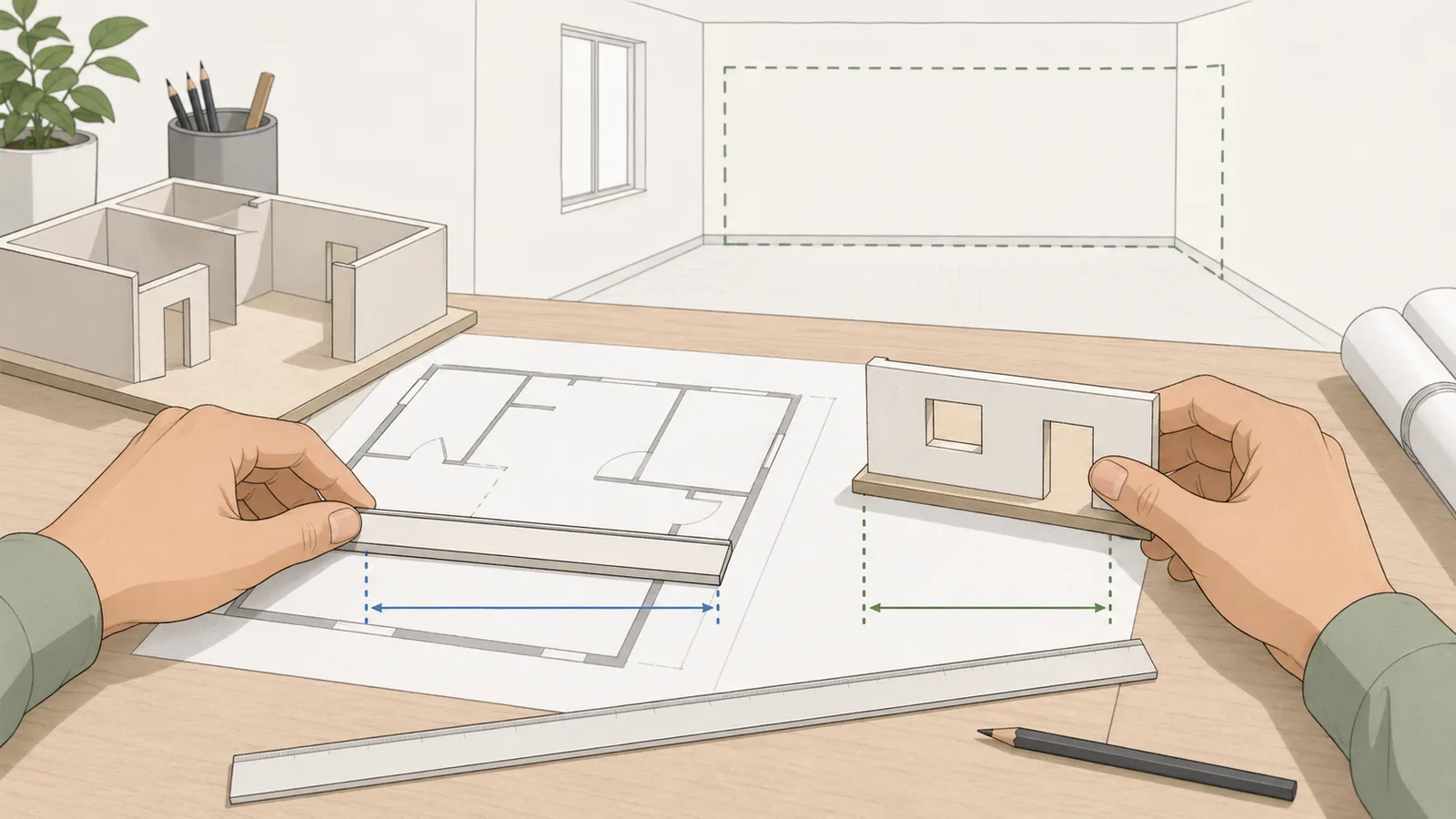
A scale conversion workflow often continues after the first real-world answer. You may measure a line on a 1:50 drawing and need the same real object redrawn at 1:100, enlarged for a detail sheet, or reduced for a copied plan. The calculator's target-scale panel turns the real-world result back into the drawn size for another scale and shows the resize percentage that can be used in a copier, print dialog, CAD export, or PDF scaling step.
The percentage compares the current drawn measurement with the target drawn measurement. Moving from 1:50 to 1:100 makes the drawing half as large, so the resize percentage is 50%. Moving from 1:100 to 1:50 doubles the drawing, so the resize percentage is 200%. This scale-to-scale conversion is separate from unit conversion: apply the ratio first, then convert units only if the output needs to be read in another measurement system.
Target drawn size = Real size / Target scale denominator
Used when the same real-world length needs to be redrawn at a different scale.
Resize percentage = Target drawn size / Current drawn size x 100
Used for copier, print, PDF, or CAD scaling between two drawing scales.
Why area and volume do not scale linearly
Length is only the first layer of scale work. If a drawing length expands by 50 times when you return to reality, the matching area expands by 50 squared, or 2,500 times. The matching volume expands by 50 cubed, or 125,000 times. That is why a small-looking plan change can have a much larger effect on coverage, material volume, or occupied space than the linear dimension alone suggests.
The same logic matters in reverse when you reduce a real object into a model or printed drawing. A 1:100 drawing is one hundredth of the real length, but it is one ten-thousandth of the real area and one millionth of the real volume. If the next decision involves paint, cladding, fill, storage, or enclosed capacity, length-only intuition is not enough.
Area factor = Length factor^2
Surface area scales with the square of the linear scale relationship.
Volume factor = Length factor^3
Volume scales with the cube of the linear scale relationship.
What can throw off a drawing scale conversion
The calculator assumes the stated ratio is the real effective scale. Printed plans, scanned PDFs, fit-to-page settings, photocopies, and images dropped into slide decks can all change the physical output size while leaving the printed label untouched. When that happens, the ratio on the title block may still read correctly, but the sheet in front of you is no longer truly at that scale.
That is why professional drawing workflows rely on scale bars, known dimensions, and issue-controlled drawing sets rather than on one copied measurement alone. This page is strongest when the drawing scale itself is trustworthy and you need the ratio math done cleanly, not when the source sheet may already have been resized by software or by printing.
Fit-to-page and printer scaling can invalidate the printed ratio
Screenshots and exported images can change the effective scale without changing the label
Historic drawings may use local conventions or sheet notes that matter more than a generic ratio
A scale bar or known dimension is the fastest way to sanity-check a suspect sheet
When this page is the right tool and when it is not
Use this page when the main job is converting between a drawn or modelled dimension and the real-world dimension behind it. That covers the core scale factor workflow for plans, maps, models, and blueprint checks. It also works well when you know the ratio and want to review the same answer in millimetres, centimetres, metres, inches, feet, or yards without repeating the calculation.
Use a different tool if the question is broader than a simple scale ratio. If you need to manipulate a general ratio mathematically, a ratio calculator or proportion calculator is the better fit. If you need a wide unit-only conversion without any drawing scale context, a length converter is cleaner. And if the measurement problem is about imperial drafting notation rather than scale itself, a feet-and-inches length calculator or inch-fraction calculator may be the more direct route.
It means that 1 unit on the drawing represents 50 of the same units in reality. A line measuring 2 centimetres on a 1:50 drawing represents 100 centimetres (1 metre) in the real world.
How do I convert between imperial architectural scales and ratios?
An imperial scale like 1/4 inch equals 1 foot is equivalent to a 1:48 ratio. The calculator handles this conversion automatically for common architectural and engineering scales.
What is a scale factor?
A scale factor is the multiplier that connects the drawing or model size to the real-world size. A 1:50 drawing uses a scale factor of 50.
Can I convert between metric and imperial scale systems?
Yes. Enter the scale ratio or equivalent scale statement and the calculator converts the size in either direction, while keeping the units consistent.
Does this work for architectural drawings and model-building scales?
Yes. The calculator is built for common architectural, engineering, and model scales such as 1:50, 1:100, 1:24, 1:48, and similar ratios.
What does 1:100 scale mean in metres?
A 1:100 scale means every drawing length is one hundredth of the real length. So 1 cm on the drawing represents 100 cm, or 1 m, in reality. In reverse, a 1 m real-world dimension becomes 1 cm on the drawing.
How do I convert from 1:50 to 1:100 scale?
You are comparing two different reduced views of the same real object. The 1:100 version is half the drawing length of the 1:50 version because the denominator doubled. A line that is 8 cm at 1:50 becomes 4 cm at 1:100, assuming the real object stays unchanged.
What percentage should I use to resize a drawing from one scale to another?
Divide the target drawn size by the current drawn size, then multiply by 100. For example, converting the same object from 1:50 to 1:100 uses 50%, while converting from 1:100 to 1:50 uses 200%. The calculator's redraw panel performs this scale-to-scale conversion from the real-world length behind the entered measurement.
Can I use the same ratio method for maps and site plans?
Yes. Representative-fraction scales work the same way whether the subject is a room, a site boundary, or a printed map. What changes is the typical denominator: room details may sit around 1:20 or 1:50, while site and map work often uses much larger values such as 1:500, 1:25,000, or 1:50,000.
Why is my printed plan not measuring correctly even though the title block says 1:100?
The most common reason is that the sheet was printed with a scaling setting such as fit to page or shrink to printable area. PDF export, photocopying, screenshots, and pasted images can also change the physical output size. If the scale bar or a known dimension does not match, treat the printed sheet as resized and verify the true effective scale before using it.
Do area and volume use the same scale factor as length?
No. Length scales linearly, but area uses the square of the scale factor and volume uses the cube. At 1:50, real lengths are 50 times the drawing lengths, real areas are 2,500 times the drawing areas, and real volumes are 125,000 times the drawing volumes.
Can I mix inches on the drawing with metres in reality?
You can display the final answer in different units, but the ratio itself should first be applied within the same unit family. For example, treat 1 inch on the drawing as 50 inches in reality at 1:50, then convert those 50 inches into feet or metres. Mixing units before applying the ratio is one of the easiest ways to get a wrong answer.