
Print typography
Answers: Editorial and typesetting unit conversion
Units: pt, pc, dd, cc, agate, mm, cm, in, px
Keep separate because: CSS relative units need base-font context that print units do not.

Convert typography and CSS units across points, pixels, rem, em, millimetres, inches, line-height, viewport units, and DPI/PPI assumptions.
Last updated
Typography and CSS units
Convert print typography, CSS font-size units, DPI/PPI measurements, line-height, and viewport units without mixing calculations that depend on different assumptions. The panels preserve quick px to rem, pt to px, pixels to inches, line-height, and vw/vh workflows in one canonical typography unit converter.
Active workflow
Convert points, picas, didot points, ciceros, agate lines, pixels, millimetres, centimetres, and inches.
Typography
Convert between print-first typography units and screen measurements using the standard 72 pt per inch baseline and the CSS 96 px per inch reference.
Common contexts
Point baseline
Points, picas, didot units, and physical measures translate through a 72 pt per inch baseline. Pixels are anchored to the CSS 96 px per inch reference used by modern screen layouts.
Result
12 pt equals 12 pt, 0.1667 in, and 4.2333 mm.
Traditional
Digital
Metric
Typesetting note
Didot units and ciceros are common in European print work, while agate lines appear in newspaper layouts. Keeping the units together in one sheet makes it easier to compare type specs without switching tools.
Print typography
Answers: Editorial and typesetting unit conversion
Units: pt, pc, dd, cc, agate, mm, cm, in, px
Keep separate because: CSS relative units need base-font context that print units do not.
CSS font size
Answers: Design-token and implementation handoff
Units: px, rem, em, pt, pc, %
Keep separate because: rem and em depend on root or current font-size assumptions.
DPI and PPI
Answers: Screen-to-print size translation
Units: px, pt, mm, cm, in, DPI/PPI
Keep separate because: The same pixel count maps to different physical sizes at different resolutions.
Line-height
Answers: Readable vertical rhythm and CSS spacing
Units: unitless, px, em, rem, %
Keep separate because: Line-height is a spacing relationship, not a simple type-size unit.
Viewport units
Answers: Responsive sizing tied to viewport dimensions
Units: vw, vh, vmin, vmax, px
Keep separate because: Viewport units need current width and height, not only a font-size baseline.
| Family | Answers | Units | Keep separate because |
|---|---|---|---|
| Print typography | Editorial and typesetting unit conversion | pt, pc, dd, cc, agate, mm, cm, in, px | CSS relative units need base-font context that print units do not. |
| CSS font size | Design-token and implementation handoff | px, rem, em, pt, pc, % | rem and em depend on root or current font-size assumptions. |
| DPI and PPI | Screen-to-print size translation | px, pt, mm, cm, in, DPI/PPI | The same pixel count maps to different physical sizes at different resolutions. |
| Line-height | Readable vertical rhythm and CSS spacing | unitless, px, em, rem, % | Line-height is a spacing relationship, not a simple type-size unit. |
| Viewport units | Responsive sizing tied to viewport dimensions | vw, vh, vmin, vmax, px | Viewport units need current width and height, not only a font-size baseline. |
Competitor CSS unit converters usually stop at px, rem, em, pt, percent, and viewport math. Use this guide when the better answer is choosing the right typography unit before converting it.
Design-token font sizes
Use: rem
Why: Root-relative units keep type scales and spacing tokens aligned with browser and user font-size preferences.
Check: Keep the root font-size assumption visible when converting px to rem or rem to px.
Component-local emphasis or spacing
Use: em
Why: em follows the current element, so padding, icons, and local emphasis can scale with a component font size.
Check: Confirm the inherited font-size before treating an em value as a fixed pixel number.
Line length and text measure
Use: ch
Why: ch is based on the zero glyph in the current font, which makes it useful for approximate text measure rather than exact px conversion.
Check: Validate real font metrics, especially with proportional typefaces.
X-height-sensitive adjustments
Use: ex
Why: ex follows the font x-height and can move noticeably between typefaces.
Check: Use it only when the actual font family is known and visually tested.
Fluid typography and viewport sizing
Use: clamp(), vw, vh, vmin, vmax, svh, lvh, dvh
Why: Viewport-relative units respond to screen dimensions; dynamic viewport variants help with modern mobile browser chrome.
Check: Test small and large mobile viewports before shipping a hero or display-size rule.
Container-scoped responsive type
Use: cqw, cqh, cqi, cqb
Why: Container query units respond to a query container, not the global viewport or root font-size.
Check: Define the container context first; otherwise there is no meaningful standalone conversion.
Print handoff and physical estimates
Use: pt, pc, mm, cm, in, px with DPI/PPI
Why: Physical output estimates need the print or image density assumption alongside the typography unit.
Check: Use the DPI/PPI panels when pixels need to become inches, millimetres, or points.
| Job | Use | Why | Check before shipping |
|---|---|---|---|
| Design-token font sizes | rem | Root-relative units keep type scales and spacing tokens aligned with browser and user font-size preferences. | Keep the root font-size assumption visible when converting px to rem or rem to px. |
| Component-local emphasis or spacing | em | em follows the current element, so padding, icons, and local emphasis can scale with a component font size. | Confirm the inherited font-size before treating an em value as a fixed pixel number. |
| Line length and text measure | ch | ch is based on the zero glyph in the current font, which makes it useful for approximate text measure rather than exact px conversion. | Validate real font metrics, especially with proportional typefaces. |
| X-height-sensitive adjustments | ex | ex follows the font x-height and can move noticeably between typefaces. | Use it only when the actual font family is known and visually tested. |
| Fluid typography and viewport sizing | clamp(), vw, vh, vmin, vmax, svh, lvh, dvh | Viewport-relative units respond to screen dimensions; dynamic viewport variants help with modern mobile browser chrome. | Test small and large mobile viewports before shipping a hero or display-size rule. |
| Container-scoped responsive type | cqw, cqh, cqi, cqb | Container query units respond to a query container, not the global viewport or root font-size. | Define the container context first; otherwise there is no meaningful standalone conversion. |
| Print handoff and physical estimates | pt, pc, mm, cm, in, px with DPI/PPI | Physical output estimates need the print or image density assumption alongside the typography unit. | Use the DPI/PPI panels when pixels need to become inches, millimetres, or points. |
The former specialist pages still matter as search intents: px rem em converter, point pixel mm converter, pixels to inches converter, line-height calculator, and viewport width calculator. They now resolve into one canonical typography unit converter with separate panels for CSS, print, accessibility, and responsive design work.
Image resolution and full print-size planning remain separate until the image-size consolidation phase because megapixels, aspect ratios, and image dimensions have broader workflows than typography handoff.
Typography and CSS Units
A typography unit converter is most useful when it keeps each design assumption visible. This page also explains the main assumptions behind the typography unit converter result, highlights the supporting figures shown by the calculator, and helps the reader use the estimate without overstating what a quick online tool can prove.
A point, pica, millimetre, inch, and CSS pixel can be translated through fixed reference relationships when the output context is known. CSS defines the common absolute-length relationship of 1 inch to 96 CSS pixels and 72 points to 1 inch, which makes pt, pc, px, mm, cm, and in conversions predictable for layout references.
Relative CSS units need extra inputs. A rem value depends on the root font size, an em value depends on the current element font size, percentage font sizes need a base, viewport units depend on the viewport width or height, and line-height can be unitless, length-based, root-relative, or percentage-based. The calculator separates those panels so a px rem em converter result is not confused with a print DPI result.
Use the print typography panel when you are translating editorial, publishing, or traditional typesetting units. Points and picas remain common in English-language design tools, while didot points and ciceros still appear in European print traditions. Agate lines are useful in newspaper and dense listing work.
The panel converts through a shared physical baseline and includes CSS pixels as a screen-side approximation. That is useful for design handoff, but it is not a claim that every physical screen pixel measures the same as a CSS pixel or that a print device will output without scaling.
1 in = 72 pt = 6 pc
Core print relationship between inches, points, and picas.
1 in = 96 CSS px
CSS absolute-length reference used for screen-side approximations.
1 cc = 12 dd
Traditional didot relationship between ciceros and didot points.
Use the CSS font-size panel when the job is really a px rem em converter. It asks for a base font size because 16px equals 1rem only when the root font size is 16px, and 1em equals the current element font size, not necessarily the browser default.
This is the panel to use for design-token handoff, Figma-to-CSS checks, accessible type scaling, or quick comparisons such as 18px to rem, 1.125rem to px, 0.875em to px, and 150% font-size to px. Keeping the base visible protects SEO search intent without pretending the conversion is context-free.
rem = px / root font size
Common px to rem conversion. This is the specific relationship the calculator applies when building the result.
em = px / current element font size
Common px to em conversion when the local font-size context is known.
percent = px / base font size * 100
Converts a font size into percentage form.
Use the DPI panels when a pixel measurement needs a physical output estimate. A pixels to inches converter depends on both the pixel count and the density assumption: 2400 px is 8 inches at 300 PPI, but 25 inches at 96 PPI.
The point pixel millimetre converter is useful when a print brief, screen export, and physical measurement need to be compared at a chosen DPI or PPI. It keeps pt, px, mm, cm, and inches together while making the density assumption explicit.
inches = pixels / PPI
One-axis physical-size estimate from pixel count and density.
pixels = inches * PPI
Reverse estimate for required pixels at a target physical size.
mm = inches * 25.4
Metric physical-length conversion used after the inch result is known.
Line-height is not just another length unit. A unitless line-height value is multiplied by the current font size, a percentage line-height is relative to the element font size, an em value follows the local font size, and a rem value follows the root font size.
Use the line-height panel when converting 24px line-height to unitless CSS, checking whether 1.5 equals 150%, or comparing em and rem spacing. The preview helps keep the answer connected to readability rather than only returning a number.
px line-height = unitless value * current font size
Core unitless line-height relationship. This is the specific relationship the calculator applies when building the result.
unitless line-height = px line-height / current font size
Converts a fixed pixel line-height into a reusable CSS ratio.
px line-height = rem value * root font size
Converts root-relative line-height into pixels.
Viewport width and height units are useful for fluid typography, responsive spacing, hero sizing, and design-tool checks. They depend on the viewport dimensions, so a vw to px or vh to px result changes when the screen size changes.
Use the viewport panel for questions like 50vw to px, 100vh to px, or how many pixels 1vmin represents on a 1440 by 900 viewport. The page keeps this separate from font-size conversion because viewport units depend on the window, not the root font size.
The best CSS unit converter result is sometimes a unit choice rather than a number. Use rem for root-relative typography tokens, em for component-local adjustments that should follow the current font size, percent when a value needs to follow a known parent context, and px only when a fixed screen reference is genuinely intended.
Font-relative units such as ch and ex are useful but not context-free. A ch value follows the width of the zero glyph in the current font, so it helps with approximate line length and form-field measure; an ex value follows x-height, so it can change noticeably between typefaces. Treat both as typography decision units, not universal px conversion factors.
Modern responsive CSS adds more context. svh, lvh, and dvh help distinguish small, large, and dynamic viewport heights on mobile browsers, while container query units such as cqw, cqh, cqi, and cqb depend on the size of a declared query container. Those units are intentionally not folded into a bare px rem em converter because the missing context would make the answer misleading.
The former specialist pages for px rem em conversion, point pixel millimetre conversion, pixels to inches, line-height, and viewport width now resolve into this one typography unit converter. Their keywords are preserved in panel names, headings, result labels, formulas, article copy, FAQs, internal links, and anchored redirects instead of competing as thin overlapping pages.
Image resolution, megapixels, aspect ratio, and full print-size planning remain separate until the image and resolution consolidation phase because those workflows involve full width-by-height image dimensions, crop ratios, file resolution, and print output checks beyond typography handoff.
Frequently asked questions
Use the CSS font-size panel on this typography unit converter. Enter the pixel value and the root font size, then read the rem result. The default 16px base is common, but the correct answer depends on the actual root font size in the site or app.
Multiply the rem value by the root font size. For example, 1.25rem at a 16px root is 20px. If the root is 18px, the same 1.25rem is 22.5px.
Multiply the em value by the current element font size. One em is not always 16px; it follows the font size of the element context you are converting from.
Using the CSS absolute-length reference, 1pt equals 1.3333 CSS pixels because 1 inch equals 72 points and 96 CSS pixels.
Divide the pixel count by the chosen DPI or PPI. For example, 2400 pixels at 300 PPI equals 8 inches. The same 2400 pixels at 96 PPI equals 25 inches.
For simple sizing math they can use the same numeric density assumption, but they describe different things. PPI is usually image pixels per inch; DPI is often printer dots or workflow density. Use the value that matches the output context.
Divide 24px by the current font size. With 16px text, 24 / 16 = 1.5, so the equivalent unitless line-height is 1.5.
A unitless line-height inherits as a ratio, so it scales with the element's own font size. That usually avoids awkward fixed spacing when nested text changes size.
Multiply the vw value by the viewport width and divide by 100. For example, 50vw on a 1440px-wide viewport equals 720px.
vmin follows the smaller viewport dimension and vmax follows the larger viewport dimension. They are useful when a design should respond to orientation, not only width.
The page explains when to use those units, but it does not pretend they have one universal conversion. ch and ex depend on the actual font metrics, cqw and cqh depend on a query container, and svh, lvh, and dvh depend on mobile viewport behaviour. Use the decision guide first, then test in the real CSS context.
Use rem for reusable type scales and design tokens that should respect root font-size changes. A pixel value can still be useful for inspecting a design file or matching a fixed reference, but rem usually gives a more resilient CSS handoff for font sizes and spacing tokens.
Yes. Those old URLs now redirect to anchored panels on this canonical typography unit converter, so the same search intent is still served without creating duplicate pages.
Use it for one-axis pixel, inch, point, and millimetre handoff. Full image print planning needs width, height, aspect ratio, crop, bleed, and output-quality checks, which belong to the image-size consolidation workflow.
Also in Typography & Design
You may also need
Related
These related calculators come from the same leaf category, nearby sibling categories, or the same top-level topic.

Calculate image size, megapixels, aspect ratio, print dimensions, required pixels, DPI/PPI density, and screen PPI in one resolution planning tool.
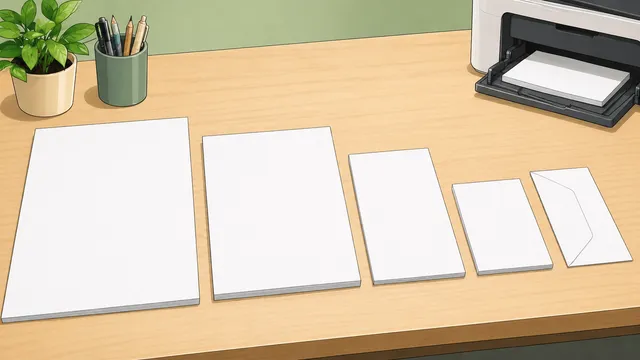
Convert ISO A, ISO B, ISO C envelope, and North American paper sizes between mm, cm, inches, and pixels at custom DPI/PPI settings.

Convert one colour between HEX, RGB, HSL, HSV, and CMYK with copyable CSS output, CSS custom property handoff, and black-versus-white contrast guidance.
Resize a JPEG, PNG, or WebP image in-browser, convert it to the same format, JPEG, PNG, or WebP, and download the processed file locally.