Skip to content
Calcipedia
Area Calculator instructional illustration

Area Calculator

Use this area calculator to find the area of common shapes, convert between square feet, square metres, acres, and hectares.

Last updated

Area calculator Calculate area for common 2D shapes with better geometry workflow: shape-specific inputs, radius or diameter handling for circles, worked equations, and instant square-foot and square-meter conversions.

Quick examples

Shape

Unit

General area-planning guidance

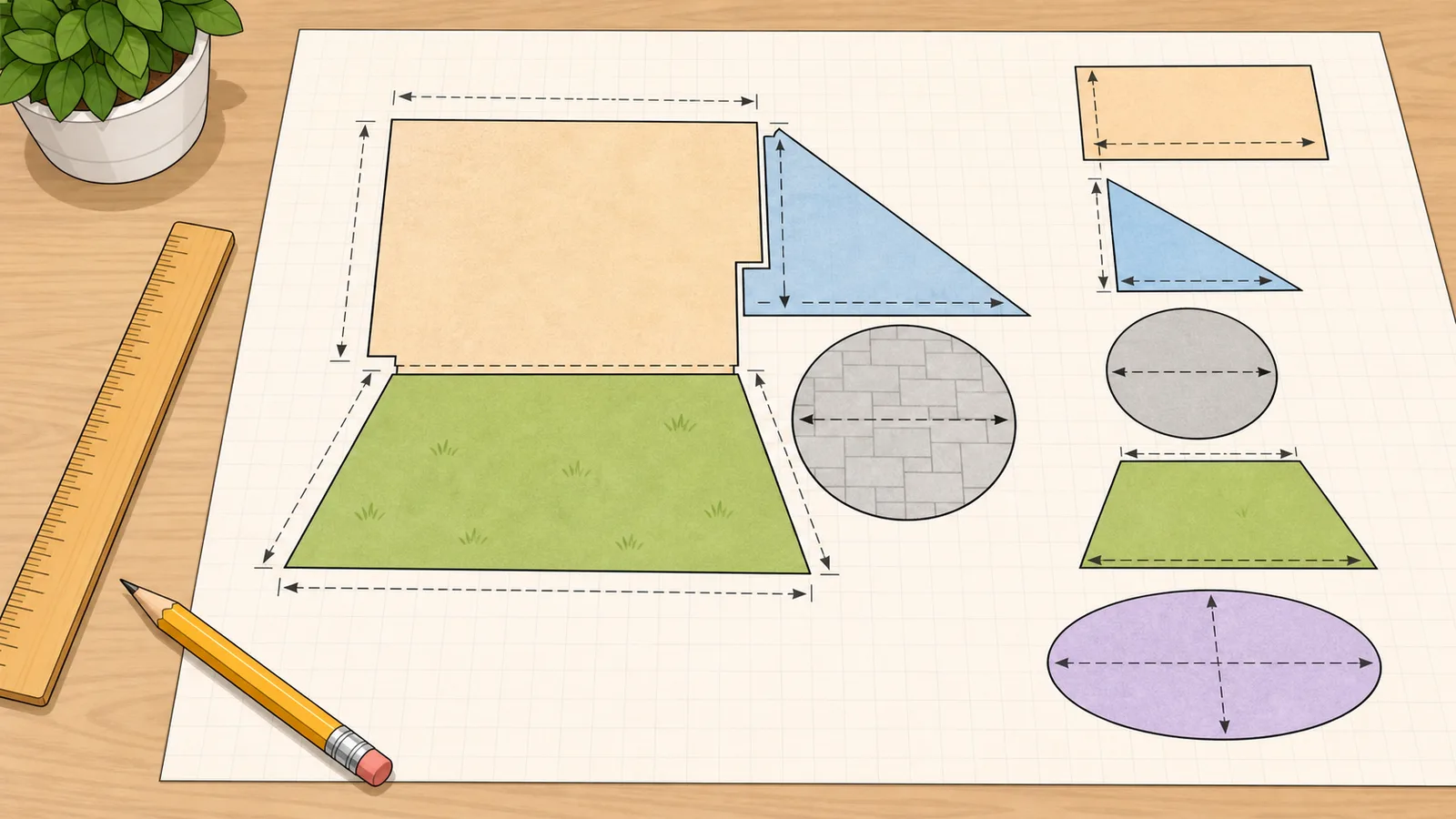
Irregular shapes: split the outline into simpler rectangles, triangles, circles, or trapezoids, calculate each section, then add the totals.

Keep units consistent: measure every visible dimension in the same linear unit before using an area formula.

Use a specialist page when needed: if you need square-footage material planning, perimeter, or a more advanced sector or triangle workflow, switch to the more specific calculator once you know the basic area question.

Enter dimensions Choose a common shape, enter the visible dimensions, and this area calculator will return the area in your selected unit plus square-foot and square-meter conversions.
← All General calculators

Geometry

Area calculator guide: common shape formulas, unit conversions

An area calculator helps you find the surface area of common 2D shapes without switching between separate formulas by hand. This page covers rectangles, squares, triangles, circles, trapezoids, parallelograms, and ellipses, then converts the result into square feet, square metres, acres, and hectares so the answer is easier to use in geometry, planning, land measurement, and everyday measurement work.

How to use an area calculator well

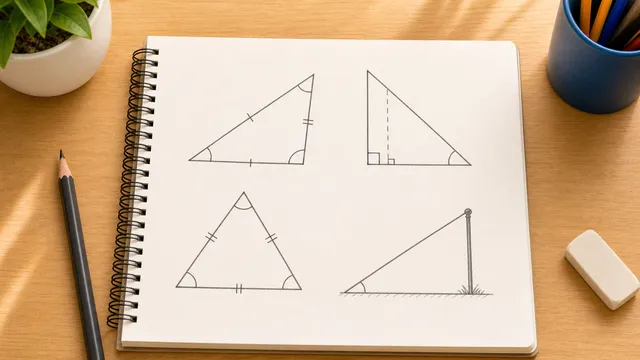
The main job is not only applying a formula. It is choosing the right shape and measuring the right dimensions. Rectangles and squares are straightforward because the area depends on side lengths only. Triangles, trapezoids, and parallelograms are where many people go wrong because the formula uses a perpendicular height, not just any sloping edge.

That is why a good area calculator should do more than return one raw number. It should help you choose the right shape, support the most natural input workflow for that shape, and show the formula clearly enough that you can confirm the result makes sense.

Area formulas for the most common shapes

Rectangle: length times width. Square: side length squared. Triangle: half base times perpendicular height. Circle: pi times radius squared. Trapezoid: half the sum of the parallel sides times height. Parallelogram: base times perpendicular height. Ellipse: pi times the two semi-axes.

All of these formulas assume the visible dimensions are measured in the same linear unit. If the sides are entered in feet, the result is square feet. If the sides are entered in metres, the result is square metres. If the sides are entered in inches or centimetres, the same rule applies in square inches or square centimetres.

Rectangle: A = l × w

Use for rooms, slabs, lawns, and any layout measured as length by width.

Square: A = s²

Useful for pads, tiles, square pavers, and equal-sided plans.

Triangle: A = 0.5 × b × h

Use only when the height is perpendicular to the base.

Circle: A = π × r²

If you only know the diameter, divide by 2 first or use a diameter-aware calculator workflow.

Trapezoid: A = 0.5 × (a + b) × h

Best when one pair of opposite sides is parallel and measured with a clean perpendicular height.

Parallelogram: A = b × h

The height is perpendicular to the base, not the sloping side.

Ellipse: A = π × a × b

Use the semi-major and semi-minor axes, or enter the full major and minor axes and halve them first.

Radius versus diameter is a common circle mistake

Many people know the full width across a circle, not the radius. That is a diameter measurement. The circle area formula still uses radius, so you must halve the diameter before squaring. This is one of the easiest ways to overstate area by accident.

A better general area calculator should support both workflows: direct radius entry for geometry users, and diameter-first entry for practical measurement jobs such as round patios, tanks, or tables.

How to calculate the area of an irregular shape

Irregular outlines are usually easiest to handle by breaking the surface into simpler pieces. An L-shaped room can become two rectangles. A wedge or gable section can become a triangle. A tapered section can become a trapezoid. You calculate each part separately and then add the totals together.

This decomposition approach is often better than trying to guess one average width or forcing the whole shape into the wrong formula. It also keeps your measurements auditable if you need to explain the result to someone else.

The section planner in the calculator area supports that workflow directly. Calculate one simple piece, save it as a section, switch shape or units if needed, and keep adding pieces until the irregular-area total matches the surface you are measuring.

  • Split L-shaped rooms into multiple rectangles
  • Treat angled corners as triangles when you know the base and perpendicular height
  • Use trapezoids for tapered sections with two parallel sides of different lengths
  • Add the section totals to get the final irregular-shape area

Using the section planner for room, lawn, and site totals

Some area calculator pages explain irregular shapes in prose but still force you to keep section totals somewhere else. This page lets you save each calculated shape inside the calculator, then shows the combined total in square feet, square metres, acres, and hectares.

That is useful for mixed layouts such as a rectangular room with a triangular bay, a lawn with a circular planting bed, or a plot sketch that combines a rectangle with a tapered trapezoid. It also helps you spot whether a land-scale answer should be reviewed in acres or hectares after the basic geometry is done.

Worked examples: room, round patio, and tapered section

A 12-foot by 14-foot room covers 168 square feet. A round patio with a 16-foot diameter covers just over 201 square feet. A trapezoid that is 12 feet high with parallel sides of 10 feet and 16 feet covers 156 square feet.

These examples matter because they show why a broad area calculator is useful. It handles the common shapes most people actually measure, while still giving a formula-based result you can verify by hand if needed.

Square feet, square metres, acres, and hectares

Area questions often become conversion questions immediately after the geometry is done. One square metre is about 10.764 square feet. One square foot is about 0.0929 square metres. Showing both units side by side helps when you compare property listings, supplier specs, imported plans, or mixed-unit project notes.

That is why a practical area calculator should not stop at one square-unit answer. It should convert to the two broadest area units people actually compare in everyday use.

For land, site, garden, and outdoor planning questions, acres and hectares are often easier to interpret than a very large square-foot or square-metre value. The calculator keeps those land-area conversions visible without changing the underlying shape formula.

When to use this page versus a more specific calculator

Use this page when the main problem is general geometry: pick a common shape, enter the visible measurements, and get the area with the formula used.

Use a square footage calculator when the real question is room measurement, flooring ordering, or material overage. Use a perimeter calculator when the boundary length matters more than enclosed surface. Use a specialist sector, segment, or triangle tool when your geometry is more specific than the broad shapes covered here.

Limitations

This calculator covers common regular shapes and common measurement workflows, but it does not replace survey methods, CAD drawings, or coordinate-based geometry for complex boundaries.

Cutouts, overlapping surfaces, holes, and mixed-unit measurements still need to be handled deliberately. If part of the shape should be subtracted out, calculate that sub-area separately and remove it from the total.

Frequently asked questions

How do I calculate area?

Choose the correct shape first, then use the matching formula. For a rectangle, multiply length by width. For a triangle, use half base times perpendicular height. For a circle, use pi times radius squared. For irregular shapes, split the outline into simpler sections and add the results.

What is the formula for area?

There is no single formula for every shape. Each shape has its own area formula. That is why a broad area calculator has shape selection first, then the correct formula for that geometry.

Do I use radius or diameter for circle area?

The formula uses radius. If you only know the diameter, halve it first. Some calculators let you enter diameter directly and convert it to radius for you.

What units is area measured in?

Area is measured in square units. If the side lengths are entered in feet, the result is square feet. If the side lengths are entered in metres, the result is square metres. The same rule applies for inches and centimetres.

How do I calculate the area of an irregular shape?

Break the shape into simpler parts such as rectangles, triangles, circles, or trapezoids. Calculate each section separately and then add the totals. The section planner on this page lets you save those pieces and totals them in square feet, square metres, acres, and hectares.

What is the difference between area and perimeter?

Area measures the surface enclosed inside the shape. Perimeter measures the total distance around the boundary. They answer different geometry questions and use different units.

How do I convert square feet to square metres?

Divide square feet by about 10.764 to get square metres. To convert the other way, multiply square metres by about 10.764.

Can I add several area calculations together?

Yes. Calculate the first shape, add it as a saved section, then switch shape or dimensions for the next piece. This is the safest workflow for L-shaped rooms, mixed garden beds, patios with cutouts, and other irregular surfaces.

When should I look at acres or hectares?

Use acres or hectares when the square-foot or square-metre answer is too large to interpret easily, especially for land, lots, lawns, fields, or site-planning sketches. The shape formula does not change; only the reporting unit changes.

Can I use this page for square footage?

Yes, if the shape itself is the main question and your measurements are in feet. If you need room-by-room planning, flooring overage, or irregular room guidance, the square footage calculator is the better next step.

Why does a parallelogram not use the sloping side in the formula?

Because area depends on the base and the perpendicular height. The sloping side affects perimeter, not the basic base-times-height area formula.

How do I measure an ellipse for area?

Measure the full major axis and the full minor axis, then halve them to get the semi-major and semi-minor values used in the formula. Some calculators handle that halving step for you automatically.

Guides

Featured in articles

Step-by-step guides that use this calculator to solve real problems.

Also in General

You may also need

Related

More from nearby categories

These related calculators come from the same leaf category, nearby sibling categories, or the same top-level topic.